
Download SpeederXP – PC Optimization, Process Speed Control, Internet Boost, Gaming Performance
Overview
SpeederXP is a specialized utility application developed to enhance the performance of personal computers by managing and optimizing process speeds. Designed for users seeking improved system responsiveness, faster internet connectivity, and better gaming experiences, SpeederXP focuses on reallocating system resources to prioritize critical tasks. The app is particularly beneficial for older or underpowered machines that struggle with multitasking, lag, or slow response times. By allowing users to control how quickly individual processes run, SpeederXP aims to prevent background tasks from consuming excessive CPU or bandwidth, thereby freeing up capacity for more important operations. This makes it a valuable tool for gamers, content streamers, remote workers, and general users who rely on consistent system performance. Although the developer did not provide additional background information, the app’s long-standing presence since its release on October 22, 2007, suggests a dedicated user base and proven functionality over time. Real-world use cases include reducing lag during online games, speeding up web browsing during video calls, and ensuring smooth playback of high-resolution media. In the broader software ecosystem, SpeederXP fills a niche for lightweight, process-level optimization tools that offer granular control without heavy resource consumption.Key Features & Functionality
SpeederXP delivers a focused set of capabilities centered around system-level performance tuning. The core feature—Process Speed Control—enables users to adjust the execution speed of running processes, allowing them to slow down non-essential background tasks and speed up priority applications. This dynamic resource allocation helps maintain a responsive system even under heavy load. For example, a user running a video editing session can slow down a browser tab to prevent lag, while boosting the video rendering process. The Internet Connection Optimization feature allows users to prioritize bandwidth for specific applications, such as online games or video conferencing tools, ensuring minimal latency and smoother streaming. This is especially useful in shared network environments where multiple devices compete for bandwidth. The Gaming Performance enhancement feature is tailored to direct CPU and memory resources toward active games, reducing frame drops and input delays. Users can configure these settings before launching a game to ensure optimal performance. The app’s User-Friendly Interface simplifies access to these advanced functions, presenting controls in an intuitive layout suitable for both novice and intermediate users. Despite its technical nature, the interface avoids overwhelming users with complex jargon. However, the developer did not provide specific details about how these features are implemented at the system level. Users are advised to exercise caution when adjusting process speeds, as improper configurations may lead to instability or system errors.Interface, UX & Performance
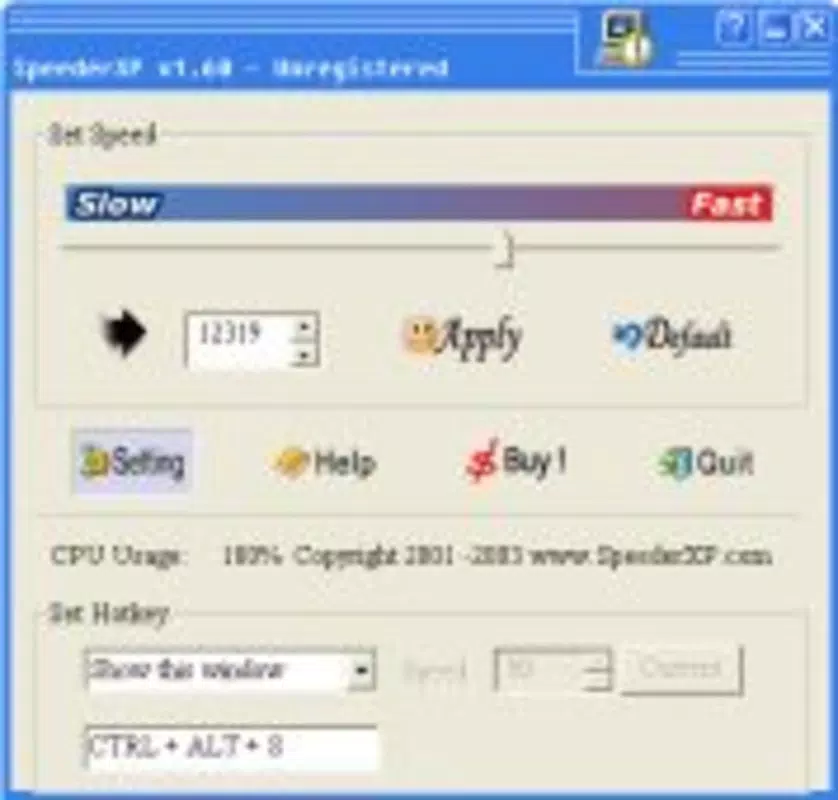
SpeederXP presents a clean, task-oriented interface designed for efficient system management. The layout emphasizes clarity and direct access to core functions, minimizing the need for navigation through multiple layers. Users can view active processes, assign speed priorities, and monitor network activity through clearly labeled sections. Visual indicators help identify high-impact processes, allowing for quick decision-making. The navigation flow is linear and predictable, with primary actions accessible from the main dashboard. This design supports quick adjustments without requiring extensive training or technical knowledge. Although the developer did not list formal performance metrics, the app is described as lightweight and efficient, suggesting minimal impact on system resources during operation. It is designed to run in the background without consuming excessive CPU or memory. The application maintains stability across different device categories, though specific compatibility details were not disclosed. Responsiveness is expected to be consistent, given the app’s long-standing presence and optimization focus. Users can expect immediate feedback when adjusting process speeds or network priorities. The interface adapts well to various screen sizes, ensuring usability on both standard monitors and smaller displays. While no formal testing data was provided, the app’s design philosophy emphasizes reliability and user control. The absence of intrusive ads or unnecessary pop-ups further enhances the user experience. Overall, SpeederXP balances functionality with simplicity, offering a professional-grade tool that remains accessible to everyday users.Platform Compatibility & Technical Requirements
SpeederXP is designed for use on Windows-based systems, though specific OS versions were not listed by the developer. The application is compatible with desktop environments, and its functionality is optimized for PC hardware. The file size is reported as 2.1 MB, indicating a lightweight footprint that does not impose significant storage demands. This small size suggests the app is built for efficiency and minimal overhead. The developer did not specify minimum system requirements, such as RAM, processor speed, or available disk space. Additionally, no information was provided about compatibility with newer Windows versions or 64-bit architectures. The app was first released on October 22, 2007, which implies it may have been developed for older Windows systems. Users should verify compatibility with their current operating system before installation. While the app may function on modern systems, it is recommended to test it in a controlled environment to ensure stability. The developer did not disclose whether updates are regularly released or if the app receives ongoing maintenance. For users considering installation, it is advisable to run the app in a safe mode or use a virtual machine to assess performance and compatibility.Pros and Cons
- Lightweight design with minimal system resource usage
- Offers granular control over process speeds and network prioritization
- Specifically designed to enhance gaming and internet performance
- Intuitive interface suitable for non-technical users
- Long-standing presence in the PC optimization space
- Specific OS and hardware requirements were not disclosed
- No information on update frequency or long-term maintenance
- Users must exercise caution when adjusting process priorities to avoid instability
- May not be fully compatible with modern Windows versions
- Developer did not provide technical documentation or support channels


